See your sound.
Professional real-time audio analysis for macOS. Built for sound engineers who need speed, clarity, and precision.
Download on the Mac App StoreRequires macOS 14.0 or later
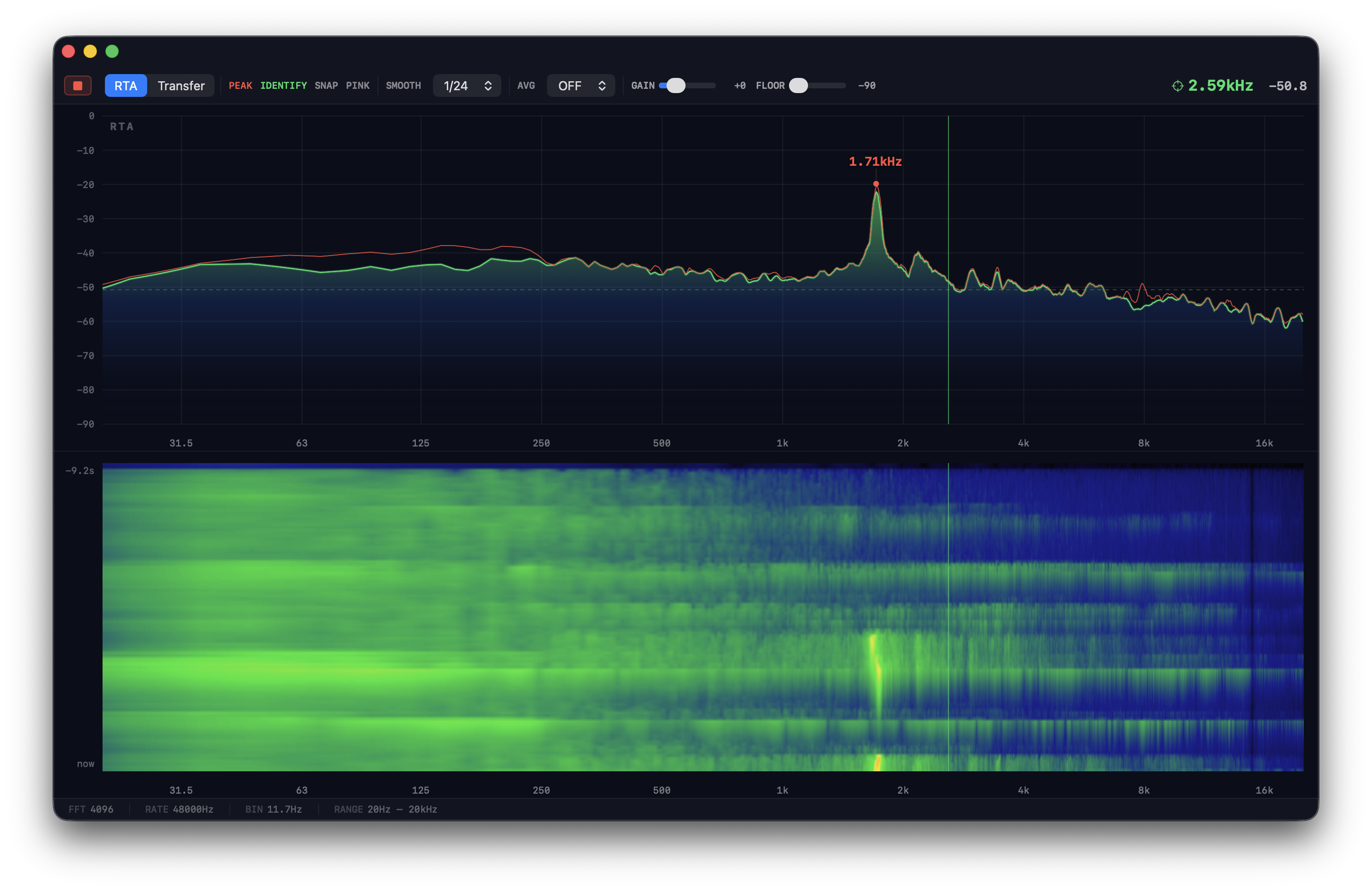
Professional real-time audio analysis for macOS. Built for sound engineers who need speed, clarity, and precision.
Download on the Mac App StoreRequires macOS 14.0 or later
Spectrix gives you the same analysis tools used in world-class live sound — in a native macOS app that feels like Apple built it.
High-resolution RTA with 4096-point FFT at 48kHz. Logarithmic frequency scale from 20Hz to 20kHz with sub-bin accuracy via parabolic interpolation.
Scrolling time-frequency heatmap reveals feedback and resonances as persistent bright lines. Thermal colour ramp makes problem frequencies unmissable.
Dual-channel H1 estimator with magnitude, phase, and coherence display. Measure your system response with confidence.
Automatic detection and labelling of spectral peaks with precise frequency readout. Find feedback frequencies at a glance — with optional musical note display.
Freeze the current spectrum as a reference trace and compare against live audio. See exactly what changed after your EQ adjustments.
Built-in pink noise source with adjustable level. No external gear needed — excite the room directly from your Mac for quick system checks.
Spectrix is a focused, native macOS app with no Electron, no subscriptions, and no internet connection required. It launches instantly and uses minimal system resources.
One-time purchase. No subscriptions. No account required.
Download on the Mac App Store